Character Count in Word — Word Counter Tool
Paste or type anything below to see a live character count in Word style, plus word, sentence and paragraph counts and an estimated reading time — all calculated instantly on your device.
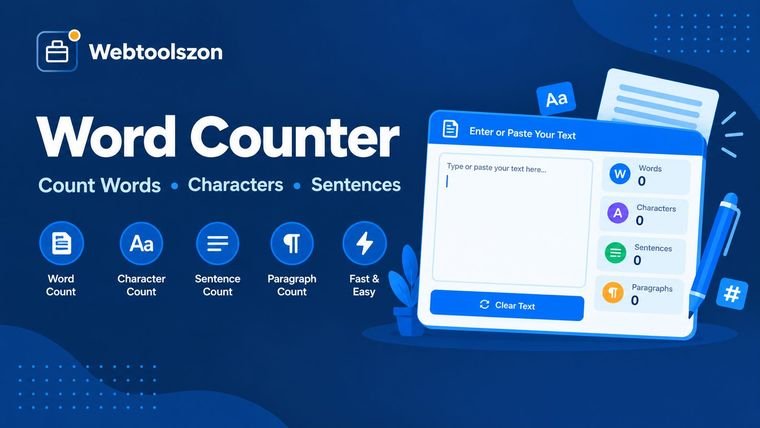
Your text
Live stats
Most frequent words
Type something to see your most-used words.
What is the proper way to utilize the word counter?
- Copy or paste your content into the text box below — for example, an essay, email, description of a product, or a social media post.
- Watch the character, word, sentence and paragraph counts change as you type, without a button.
- Find the approximate reading time and most popular keywords. Copy your text when you're pleased with the length.
The reason why character and word counts have a bearing
A majority of writing comes with a certain amount of words — such as an assignment's word count, a meta description's character limit, or the hard cutoff for social posts. Monitoring the number of words as you write can be more efficient than copying the content into a separate document to verify, and it helps you edit toward the desired length instead of guessing or rechecking after the fact.
Character count matters just as much as word count when it comes to writing on screen. A single sentence with a lot of long words can go beyond a character limit before hitting the word limit, which is why this tool always shows both side by side.
Common word and character limits
| Context | Typical limit | Why it's worth checking |
|---|---|---|
| X (Twitter) post | 280 characters | Posts are trimmed off, not wrapped, beyond the limit |
| Google meta description | ~155–160 characters | Longer descriptions get cut off in search results |
| Instagram caption | 2,200 characters | Only the first ~125 characters show before "more" |
| Standard 5-paragraph essay | 500–800 words | Most college and school prompts give a word range |
| Blog introduction | 50–150 words | Keeps readers interested and moving into the post |
| LinkedIn post (before "see more") | ~140 characters | Your hook needs to land before the cutoff |
Word count for a blog post
The right amount of words for a blog post depends on what it's trying to achieve. A short news release or announcement works well at 300–500 words, while a detailed how-to guide meant to rank highly in search typically runs 1,200–2,500 words, since longer posts generally cover the subject more fully and attract more backlinks. Pasting a draft above shows the live word count alongside reading time, so you can tell at a glance whether a post is closer to a quick update or a long-form resource.
Reading time is as important as word count for blog content. This tool calculates reading time at around 200 words per minute, consistent with the "X min read" labels shown on many publishing platforms — a useful gut-check before you hit publish.
Typical blog post lengths
| Post type | Typical word count | Why |
|---|---|---|
| News update / announcement | 300–500 words | Readers want the facts fast |
| Standard blog article | 600–1,200 words | Enough room to explain a topic without padding |
| In-depth guide or tutorial | 1,200–2,500 words | Covers a topic thoroughly, often ranks better in search |
| Pillar page / ultimate guide | 2,500+ words | Meant to be the definitive resource on a subject |
How do you calculate a character count in Word
Microsoft Word shows a live word count in the status bar at the bottom-left of the window by default. To see a character count in Word instead — sometimes called a letter count — click that word count number (or go to Tools/Review → Word Count) — the dialog that opens breaks the total down into characters with spaces, characters without spaces, and line, word and paragraph counts.
If you only need a character count for a small portion of the document, highlight the text first — Word's status bar and the Word Count dialog both switch to showing the count for just the selection rather than the whole document. That's helpful for checking a heading, a caption, or a single paragraph against a specific character limit.
If you don't have Word open, or you're working with text that isn't saved in a .docx file yet — an email draft, a social post, a form field — pasting it into the box above gives you the same character count Word shows in its status bar, along with a few extra stats the Word dialog doesn't show, like reading time and keyword frequency.
Keyword density: how frequently should a keyword be used?
Keyword density is the number of times a specific word appears in a section of text, shown as a percentage of the total word count. It's calculated by dividing keyword occurrences by total words and multiplying by 100 — so a 1,000-word article that repeats a phrase 10 times has a keyword density of 1%.
Most SEO writers aim for a natural density of around 0.5%–2%. Below that range, a page may not clearly convey what it's about; above it, the writing starts to look repetitive and can read as keyword stuffing to both readers and search engines. There's no single "correct" number search engines look for — the safest approach is to write for the reader first, then use this tool's word count to check density by counting how many times your keyword appears and dividing by the total shown here.
Since the top-words panel above surfaces the most frequently used words automatically, you can use it as a quick keyword-density check: paste in a draft to see whether your target keyword — or an unintentional repeat — is appearing more often than expected.
Essay writing: meeting the word count goal
Essay prompts almost always come with a word count, whether it's a strict limit for a college application or a looser target for a class assignment. Writing against a target is much easier when you can see the count update as you type, rather than writing the whole essay first and trimming or padding it afterward to fit.
Paragraph count is worth watching too. The five-paragraph essay format — introduction, three body paragraphs, conclusion — is a standard template for school assignments, and the paragraph counter above updates automatically as you divide your draft into sections, so you can verify the structure matches what's required before you submit.
Commonly used essay length goals
| Assignment type | Typical word count | Why it's worth checking |
|---|---|---|
| College application essay (Common App) | Up to 650 words | Submissions are hard-capped and cut off past the limit |
| Short-answer / supplemental essay | 150–300 words | Often has its own separate limit per prompt |
| Standard 5-paragraph essay | 500–800 words | Common baseline for high school and intro college writing |
| Research paper or term paper | 2,000–5,000 words | Length typically scales with the number of sources cited |
Character counts for social media posts
Social platforms usually limit by number of characters rather than number of words, which makes character count the number to watch when writing a caption, tweet, or bio. A short sentence full of long words can hit a character limit before it feels "long," so checking character count — not just word count — before posting avoids a caption getting cut off mid-sentence.
Limits also vary by platform and placement. A post on X has a strict 280-character cap; an Instagram caption can technically run to 2,200 characters but is truncated after roughly 125 before a reader taps "more"; and a LinkedIn post is cut off at around 140 characters in the feed even though the full post can be much longer. Pasting your draft caption above and checking it against the character count is the fastest way to confirm it fits before copying it into the app.
FAQ
Is this word counter really free, with no sign-up?+
Yes. The word counter runs entirely on JavaScript in your browser — there's no account, no API key, and no limit on how often you can use it.
Does my text get uploaded anywhere?+
No. Everything you type or paste is handled locally on your device. Nothing is sent over a network, saved, or stored.
How is reading time calculated?+
Reading time is calculated using an average adult silent-reading speed of about 200 words per minute, rounded up to the nearest minute.
How are sentences and paragraphs counted?+
Sentences are counted by detecting groups of text that end in a period, question mark, or exclamation point. Paragraphs are counted as blocks of text separated by a line break.
What counts as a "word" on platforms like Twitter/X or Instagram?+
Most social platforms limit users by character count rather than word count. This tool shows both live, so you can check your text against any platform's character limit at the same time as your word count.
How many words should a blog post be?+
It depends on the goal: brief updates read well at 300–500 words, while in-depth guides aimed at ranking in search typically run 1,200–2,500 words or more. Paste a draft above to check its word count and estimated reading time as you write.
How is keyword density calculated?+
Keyword density is the number of times a term is used divided by the total word count, expressed as a percentage. Most SEO writers aim for roughly 0.5%–2%; the most frequent words panel above can help you spot how often a term repeats in your draft.
What can I do to make sure my essay hits a word count target?+
Paste your draft into the box above and watch the live word count as you write or edit. Monitoring the count as you write is faster than writing the whole essay first and trimming or expanding it afterward to fit a limit.
How many words are in a paragraph?+
There's no fixed number — this tool counts a paragraph as any block of text separated by a line break, so length varies by writing style. As a rough guide, a typical web or business paragraph runs 50–150 words, while an academic paragraph often runs 100–200 words. Paste your own paragraph above to see its exact word count rather than estimating.
How many words is 80 characters (or another character count)?+
English text averages around 5–6 characters per word including spaces, so 80 characters works out to roughly 12–15 words — but this varies with word length and punctuation. The tool's live "Avg. word length" stat is calculated from your own text, so pasting a sample gives a more accurate characters-to-words estimate than a flat average.
More Ways to Work With Text
How This Counter Works
Every count updates live using JavaScript running in your browser — nothing you type or paste is uploaded to a server, stored, or logged anywhere.
Last updated: August 28, 2026.
More tools in the box
Nine more free, no-API-key tools live on the homepage.
Unit Converter
UPPER, lower, Title, Sentence, camelCase, snake_case.
QR Code Generator
Beautify, minify and validate JSON with error hints.
PDF to image
Convert text to and from Base64 instantly.
Password Generator
Strong random passwords with custom rules.
Unit Converter
Length, weight and temperature, converted live.