PDF to Image Converter
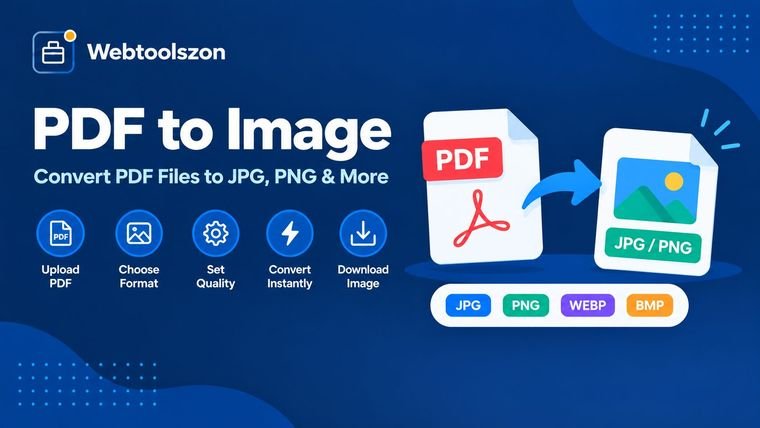
Drop in a PDF and turn every page into a JPG or PNG image, right in your browser — preview each page, then download one at a time or all together as a ZIP.
Your PDF
Drag & drop a PDF here
or browse your files — one PDF at a time
Export settings
Your conversion history
Stored only on this device using your browser's local database — files are never uploaded, and nothing here is visible to anyone else.
No conversions yet. PDFs you convert will show up here so you can reopen or redownload them later.
How to convert a PDF to images
- Drag a PDF into the box above, or click to browse and select one from your device.
- Pick a resolution and output format, then click render to generate a preview of every page.
- Download individual pages, or grab every page at once as a ZIP file.
Why convert PDF pages to images
Not every tool accepts a PDF — image editors, slide decks, and some upload forms only take JPG or PNG. Converting pages to images also makes it easy to drop a single page into a document or share it as a quick preview without sending the whole file.
Because rendering happens with PDF.js in your browser, your document is never uploaded to a server. Pages are drawn to a canvas locally and exported straight to image files.
Choosing a resolution
| Scale | Best for | Why it's worth checking |
|---|---|---|
| 1× | Quick previews, thumbnails | Smallest file size, fastest to render |
| 2× | Web use, general sharing | Sharp on most screens without a huge file |
| 3× | Printing, zooming into detail | Highest clarity, largest file size |
A PDF to JPG converter that never uploads your file
Most PDF to JPG converters send your document to a server, convert it there, and delete it later — which means for a few minutes, a copy of your file exists somewhere you don't control. This tool skips that step entirely. It uses PDF.js, a browser library, to draw each page onto a canvas and export it as an image without any network request ever leaving your device.
That matters most for contracts, ID scans, medical paperwork, or anything else you'd rather not route through a third-party server, even briefly. It also means there's no file size cap, no daily conversion limit, and no watermark, since none of the usual server-side restrictions apply.
Need to fit the exported image to a specific size afterward? The Image Resizer tool resizes JPG, PNG, and WEBP files by pixels or percent, right after you convert.
PDF to JPG or PDF to PNG — which should you pick?
| Format | Best for | Trade-off |
|---|---|---|
| JPG | Photos, scanned pages, sharing on social media or web forms | Small compression loss, much smaller file size |
| PNG | Text-heavy pages, diagrams, screenshots, anything needing transparency | Lossless quality, larger file size |
If you're not sure, JPG at 90% quality is a safe default for most sharing and upload situations. Switch to PNG when a page has crisp text or fine lines that you don't want softened by compression, or when the image needs a transparent background.
What people use PDF to image conversion for
- Uploading to forms that reject PDFs. Some job applications, ID verification flows, and web forms only accept JPG or PNG.
- Slides and presentations. Drop a single PDF page straight into PowerPoint, Keynote, or Google Slides as a clean image.
- Social media and messaging. Instagram, WhatsApp, and most chat apps preview images inline but not PDFs.
- Thumbnails and previews. Turn the first page of a report into a quick visual preview without sending the whole document.
- Printing a single page. Extract one page at high resolution instead of printing an entire multi-page file.
FAQ
Is this PDF to image converter really free, with no sign-up?+
Yes. It runs entirely with JavaScript in your browser, so there is no account, no API key, and no limit on how many PDFs you can convert.
Does my PDF get uploaded anywhere?+
No. Your PDF is rendered locally on your device using PDF.js, and images are generated in your browser. Nothing is sent to a server, stored, or logged.
Can I convert every page at once?+
Yes. Every page is rendered as an individual image, and you can download them all together as a ZIP file, or download single pages one at a time.
What resolution are the exported images?+
You can choose a resolution multiplier before converting, from a smaller, faster preview size up to a sharp print-quality render.
Can I export as PNG or JPG?+
Yes. Choose PNG for lossless quality and transparency-safe pages, or JPG with an adjustable quality slider for smaller file sizes.
Should I convert my PDF to JPG or PNG?+
Use JPG for photos, scanned pages, and anything you'll share or post online, since it keeps file sizes small. Use PNG when you need crisp text, sharp lines, or a transparent background, since it doesn't lose any quality.
Does converting a PDF to JPG reduce quality?+
JPG uses light compression, so there's a very small quality trade-off in exchange for a smaller file. Choosing a higher resolution multiplier or switching to PNG avoids this entirely.
Can I convert just one page of a PDF to an image?+
Yes. After rendering, every page appears as its own thumbnail with its own download button, so you can save a single page without downloading the rest.
Does this work on mobile, Mac, or Chromebook?+
Yes. Since it's a browser-based tool with no installation, it works the same way on Windows, Mac, Chromebook, iPhone, and Android — anywhere you have a modern web browser.
Is there a file size or page limit?+
No. Because conversion happens on your own device instead of a server, there's no upload cap and no limit on how many pages or PDFs you can convert.
More PDF & Image Tools
How This Converter Works
Your PDF pages are rendered and converted live using JavaScript running in your browser — nothing you upload is sent to a server, stored, or logged anywhere.
Last updated: August 28, 2026.
More tools in the box
Fourteen more free, no-API-key tools live on the homepage.
Word Counter
Live word, character, sentence and paragraph counts.
Image Resizer
Resize JPG, PNG and WEBP images by pixels or percent.
Image to PDF
Combine images into a single downloadable PDF.
JSON Formatter
Beautify, minify and validate JSON with error hints.
Password Generator
Strong random passwords with custom rules.