Invoice Generator
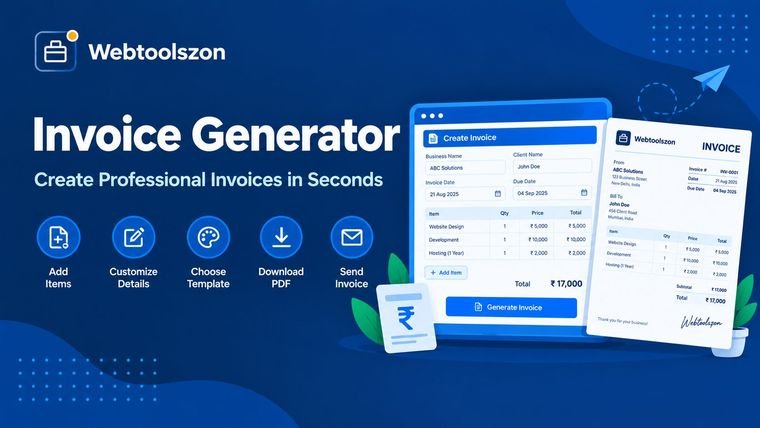
Fill in your business and client details, add line items, and get a professional invoice with automatic totals — ready to download as a PDF, right in your browser.
Invoice details
From (your business)
Bill to (client)
Invoice info
Line items
| Description | Qty | Rate | Amount |
|---|
Notes / payment terms
Summary & export
Opens your browser's print dialog — choose "Save as PDF" as the destination.
Your invoice
Updates automatically as you fill in the form above. This is exactly what gets printed or saved as a PDF.
123 Market Street San Francisco, CA 94103
hello@yourbusiness.com
INVOICE
INV-0001
Bill to
—Details
| Description | Qty | Rate | Amount |
|---|
Notes
How to create an invoice
- Fill in your business details once at the top, then enter your client's name and address under "Bill to."
- Add line items with a description, quantity and rate — the amount and totals update automatically.
- Set tax and discount percentages if needed, check the live preview, then download the invoice as a PDF.
Why a clear, consistent invoice matters
A well-formatted invoice gets you paid faster. Clients and accounting software both rely on a clear invoice number, dated terms, itemized charges and a visible total — anything missing tends to slow payment down or trigger a back-and-forth email thread.
Because everything runs in your browser, filling in the form updates the printable invoice instantly and nothing you type is uploaded or stored anywhere.
What every invoice should include
| Field | Why it's needed |
|---|---|
| Unique invoice number | Makes tracking and referencing payments easy for both sides |
| Issue date and due date | Sets clear payment expectations and supports late-fee terms |
| Your business details | Lets the client verify who they're paying and how to reach you |
| Client (bill to) details | Confirms the invoice is addressed to the right person or company |
| Itemized line items | Shows exactly what's being charged for, avoiding disputes |
| Subtotal, tax and total | Makes the final amount due unambiguous at a glance |
| Payment terms / notes | Clarifies accepted payment methods and any late-payment policy |
Adding tax and discounts correctly
Tax and discounts are both applied as a percentage of the line-item subtotal, calculated separately so you can see exactly how each affects the total. The tax percentage is added on top of the subtotal, while the discount percentage is subtracted from it, and the total due reflects both adjustments together.
If your business doesn't charge tax, or you're not offering a discount on a particular invoice, leave that field at 0% — the corresponding row on the printed invoice will simply show no additional charge.
Choosing an invoice number format
- Simple sequence: INV-0001, INV-0002, and so on — easy to track in order.
- Year-based: 2026-001, 2026-002 — useful for resetting the count each year.
- Client-based: ACME-0007 — helpful if you invoice the same clients repeatedly.
FAQ
Is this invoice generator really free, with no sign-up?+
Yes. The invoice generator runs entirely with JavaScript in your browser, so there is no account, no API key, and no limit on how many invoices you can create.
Does my invoice data get uploaded anywhere?+
No. Everything you type is processed locally on your device. Nothing is sent to a server, stored, or logged.
Can I download the invoice as a PDF?+
Yes. Click Download PDF and use your browser's print dialog to save the invoice as a PDF, or print it directly.
Can I add tax and a discount to an invoice?+
Yes. Enter a tax percentage and a discount percentage and the totals update automatically based on your line items.
How many line items can I add?+
There is no fixed limit. Use the Add item button to add as many line items as your invoice needs, and the remove icon to delete any row.
Can I change the currency on my invoice?+
Yes. Pick from common currencies such as USD, EUR, GBP, INR and JPY, and every amount on the invoice updates to use that symbol.
What should I include in an invoice number?+
A simple sequential number or a prefix plus number, such as INV-0001, works well. Keeping invoice numbers unique and sequential makes bookkeeping and follow-up easier.
Can I use this for recurring client invoices?+
Yes. Fill in your business details once, then update the client details, line items and dates for each new invoice you create.
Can I add my company logo to the invoice?+
Not currently — this tool focuses on a clean text-based invoice layout with your business and client details, line items, and totals.
What's the difference between an invoice and a receipt?+
An invoice requests payment for goods or services before or after they're delivered. A receipt confirms that payment has already been received.
Tools for Billing and Business
How This Generator Works
Your invoice is built and totaled live with JavaScript as you type, then rendered to PDF using your browser's print function — nothing you enter is uploaded to a server or stored anywhere.
Last updated: August 28, 2026.
More tools in the box
Eleven more free, no-API-key tools live on the homepage.
Word Counter
Live word, character, sentence and paragraph counts.
Image Resizer
Resize images by pixels or percentage, instantly.
JSON Formatter
Beautify, minify and validate JSON with error hints.
Password Generator
Strong random passwords with custom rules.
Unit Converter
Length, weight and temperature, converted live.